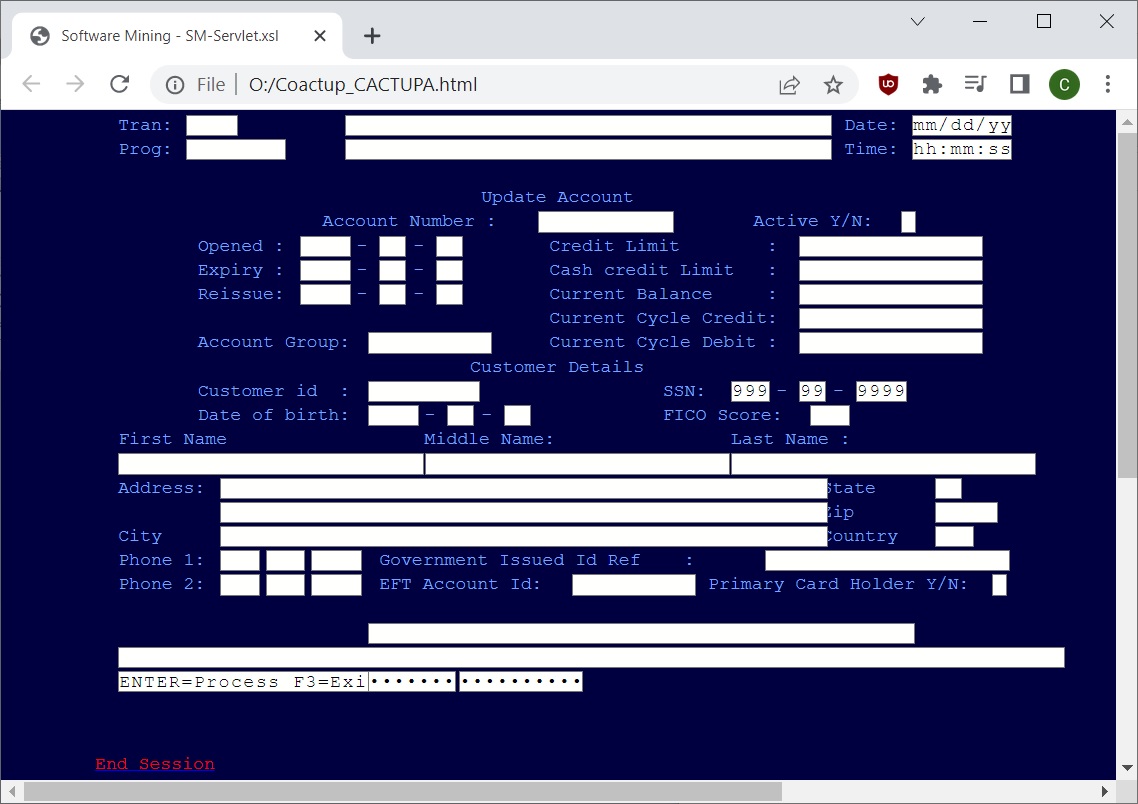
SoftwareMining independently used its automated, rule-based
COBOL-to-Java translation toolkit
to translate the AWS CardDemo CICS COBOL application into maintainable Java.
The translated application is deployed on AWS and is available below for
live evaluation.
Pure Java output with no emulation layer required.
Zero compile-time and runtime errors; effort focused on data migration.
Deployed on Apache Tomcat in AWS.
C# build is native (.NET 6+ with HTML front end).
COBOL-to-Java Translation Capabilities
CardDemo demonstrates the behaviour of one application translated from COBOL
to Java. SoftwareMining also supports the language constructs, data handling,
transaction processing and batch technologies required for complete
enterprise COBOL applications.
The sample (from program "COBIL00C") shows how the ACCOUNT-RECORD used in CICS
READ is mapped to Object-Relational classes. It also shows how CICS/BMS fields become typed Field objects
supporting operations such as setFocus() and setProtected. See
BMS Program Cleanup for details.
COBOL
Java
C#
READ-ACCTDAT-FILE.EXEC CICS READ
DATASET (WS-ACCTDAT-FILE)
INTO (ACCOUNT-RECORD)
LENGTH (LENGTH OF ACCOUNT-RECORD)
RIDFLD (ACCT-ID)
KEYLENGTH (LENGTH OF ACCT-ID)
UPDATE
RESP (WS-RESP-CD)
RESP2 (WS-REAS-CD)
END-EXEC
EVALUATE WS-RESP-CD
WHEN DFHRESP(NORMAL)
CONTINUE
WHEN DFHRESP(NOTFND)
MOVE 'Y' TO WS-ERR-FLG
MOVE 'Account ID NOT found...' TO WS-MESSAGE
MOVE -1 TO ACTIDINL OF COBIL0AI
PERFORM SEND-BILLPAY-SCREEN
WHEN OTHER
DISPLAY 'RESP:' WS-RESP-CD 'REAS:' WS-REAS-CD
MOVE 'Y' TO WS-ERR-FLG
MOVE 'Unable to lookup Account...' TO WS-MESSAGE
MOVE -1 TO ACTIDINL OF COBIL0AI
PERFORM SEND-BILLPAY-SCREEN
END-EVALUATE.
private void readAcctdatFile() {
accountRecord.assignKeyLength(accountRecord.getAcctId().lengthOf());
accountRecord.assignResponseCodeField(variables.getWsRespCd());
accountRecord.read();
variables.setReasCd(accountRecord.getResponse2Code());
if (variables.getWsRespCd() == CicsCodes.NORMAL) {
// ok
} else if (variables.getWsRespCd() == CicsCodes.NOTFND) {
variables.setErrFlg("Y");
variables.setMessage("Account ID NOT found...");
cobil0ai.getActidin().setFocus();
sendBillpayScreen();
} else {
DisplayHelper.display(this, "RESP:" + variables.getWsRespCdAsStr()
+ " REAS:" + variables.getReasCdAsStr());
variables.setErrFlg("Y");
variables.setMessage("Unable to lookup Account...");
cobil0ai.getActidin().setFocus();
sendBillpayScreen();
}
}
private void ReadAcctdatFile() {
accountRecord.AssignKeyLength(accountRecord.AcctId.LengthOf());
accountRecord.AssignResponseCodeField(variables.WsRespCd);
accountRecord.Read()();
variables.ReasCd = accountRecord.GetResponse2Code();
if (variables.WsRespCd == CicsCodes.NORMAL)
{
// ok
}
else if (variables.WsRespCd == CicsCodes.NOTFND)
{
variables.ErrFlg = "Y";
variables.Message = "Account ID NOT found...";
cobil0ai.Actidin.SetFocus();
SendBillpayScreen();
} else
{
DisplayHelper.Display(this, "RESP:" + variables.WsRespCd
+ " REAS:" + variables.ReasCd);
variables.ErrFlg = "Y";
variables.Message = "Unable to lookup Account...";
cobil0ai.Actidin.SetFocus();
SendBillpayScreen();
}
}
This example shows OR mapping for ACCOUNT-RECORD and conversion of BMS fields to typed UI fields (for example, setFocus and setProtected).
See the full guide: BMS Program Cleanup.